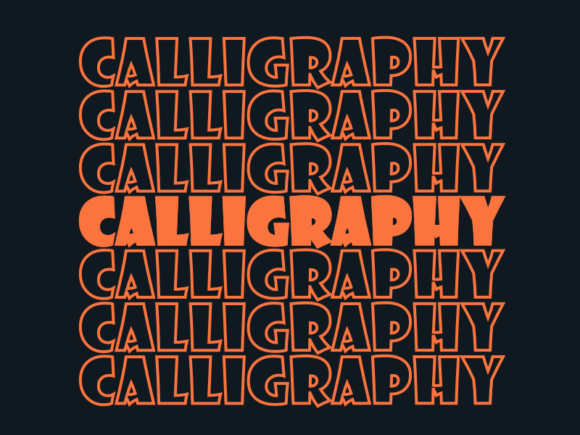
Calligraphy SVG Cut File: Precision & Flexibility
Imagine designing a wedding invitation where elegant script flows seamlessly across vellum, then cutting the same design in matte black vinyl for a custom welcome sign — all from one file. That’s the quiet power of a Calligraphy SVG cut file. It’s not just another digital graphic; it’s a resolution-independent vector built for precision, adaptability, and real-world making. Whether you’re laser-cutting monogrammed leather bookmarks or plotting delicate flourishes onto heat-transfer vinyl for children’s t-shirts, this format delivers consistent, crisp results — every time.
Why Scalability Changes How You Work
Unlike JPEGs or PNGs, a Calligraphy SVG cut file stores shapes as mathematical paths — not pixels. That means scaling from 1 inch to 36 inches introduces no blurring, jagged edges, or re-rasterization delays. A single file can serve multiple purposes without compromise: the same script phrase becomes a 2mm accent on a jewelry tag, a 12-inch wall decal, and a full-page header in a printable planner — all with identical line integrity. For educators printing classroom labels, small-business owners updating seasonal banners, or crafters layering hand-lettered elements into mixed-media collages, this eliminates the need to hunt for “large size” or “high-res” versions. You scale once, cut anywhere.
Material Versatility Meets Machine Capability
Your digital cutting machine — whether a Cricut Maker 3, Silhouette Cameo 4, or Glowforge — determines what materials you can use, not the file itself. Because the Calligraphy SVG cut file contains clean, closed paths and properly assigned cut lines (not raster images), it translates reliably across substrates. Try it on:
- Vinyl: Create reusable window decals, laptop stickers, or branded retail signage with smooth curves and sharp terminals.
- Felt or cotton: Cut appliqué letters for nursery wall art or fabric-based greeting cards — no fraying at fine serifs.
- Leather or thin wood: Achieve refined monograms on journals or coasters, where subtle stroke variation matters.
- Cardstock and specialty papers: Produce layered invitations with dimensional calligraphy overlays that align perfectly.
Note: Always verify your machine’s material settings and blade depth. While the SVG ensures geometric fidelity, physical execution depends on calibration, material thickness, and tool selection — especially for delicate flourishes or tight counter spaces in letters like “e” or “a.”
Color Control Without Compromise
Every Calligraphy SVG cut file opens in vector editors like Adobe Illustrator, Inkscape, or even Cricut Design Space with editable stroke and fill attributes. Need your script in gold foil for a luxury brand launch? Change the stroke color — no re-downloading, no quality loss. Planning a pastel-themed baby shower? Swap to blush pink and mint green within seconds. This flexibility supports branding consistency across touchpoints: the same hand-drawn “Welcome” becomes a door hanger, a digital banner, and a stitched embroidery pattern — all using harmonized hues.
Real-World Use Cases Across Roles
Small business owners use Calligraphy SVG cut files to produce cohesive, low-cost marketing assets — think die-cut business cards with script logos, shelf talkers with handwritten product notes, or personalized thank-you tags for online orders. Time saved on design iteration lets them focus on customer service or inventory.
Educators and homeschoolers rely on them for tactile learning tools: cut-out letter tiles for phonics practice, themed bulletin board accents (e.g., cursive “Science Fair” headers), or laminated vocabulary cards with graceful script — all scaled to fit standard storage systems.
Freelance designers and marketers embed these files into client deliverables as production-ready assets. A logo package might include the primary mark in EPS and SVG formats, plus a companion script version optimized for cut machines — enabling clients to self-produce merch, signage, or event décor without outsourcing each variation.
Hobbyists and makers appreciate how a single Calligraphy SVG cut file unlocks layered projects: combine script with botanical silhouettes for framed wall art, or nest initials inside geometric frames for modern coasters. The ability to ungroup, recolor, and reposition individual strokes invites experimentation — not just replication.
When to Choose SVG Over Other Formats
A Calligraphy SVG cut file excels when output requires physical cutting, precise scaling, or frequent color updates. It’s less ideal for web-only display where lightweight PNGs suffice, or when complex gradients and raster textures dominate the design (SVG handles those, but not all cutting software interprets them as cut paths). If your goal is screen presentation only — say, an animated website headline — SVG remains excellent, but its cutting-specific advantages aren’t needed.
Also consider source quality: not all “calligraphy” SVGs are created equal. Look for files with smooth Bezier curves (not segmented approximations), properly joined paths (no stray anchor points), and minimal unnecessary nodes — these ensure cleaner cuts and smoother scaling. Reputable creators often include both “cut-only” and “print-and-cut” versions, giving you control over how much detail renders physically versus visually.
Getting Started Thoughtfully
Begin with a clear purpose: Are you making something functional (like durable vinyl decals) or decorative (like paper doilies)? That guides material choice and file prep. Import your Calligraphy SVG cut file into your machine’s software, check that stroke weights are set to 0.001 pt (or “hairline”) for clean cutting, and always run a test cut on scrap material first — especially with new substrates or intricate scripts.
If you’re new to vectors, start simple: choose a bold, well-spaced script rather than ultra-thin connected lettering. As confidence grows, explore layering — placing a solid script behind a lighter outline, or nesting text inside custom frames. Remember: the file is a tool. Its value multiplies not through complexity, but through how intentionally you match its strengths to your project’s real constraints and goals.
Whether you're launching a boutique, preparing a school unit, or crafting a meaningful gift, a Calligraphy SVG cut file offers quiet reliability — no pixelation, no redraws, no compromises on elegance or utility.